LinkedIn Image & Video Specs: Complete Guide for 2026
All LinkedIn image sizes and video requirements for posts, profile, company pages, and ads — optimized dimensions for maximum quality on the professional network.
LinkedIn's 4:1 banner ratio is one of the widest of any social platform — keep key content in the center third
LinkedIn is the leading professional social network, and getting your visuals right here matters — whether you're managing a personal brand, a company page, or running B2B ad campaigns. This guide covers every image and video spec you need, from profile photos to sponsored content.
LinkedIn Profile Image Sizes
Image Type
Recommended Size
Aspect Ratio
Max File Size
Notes
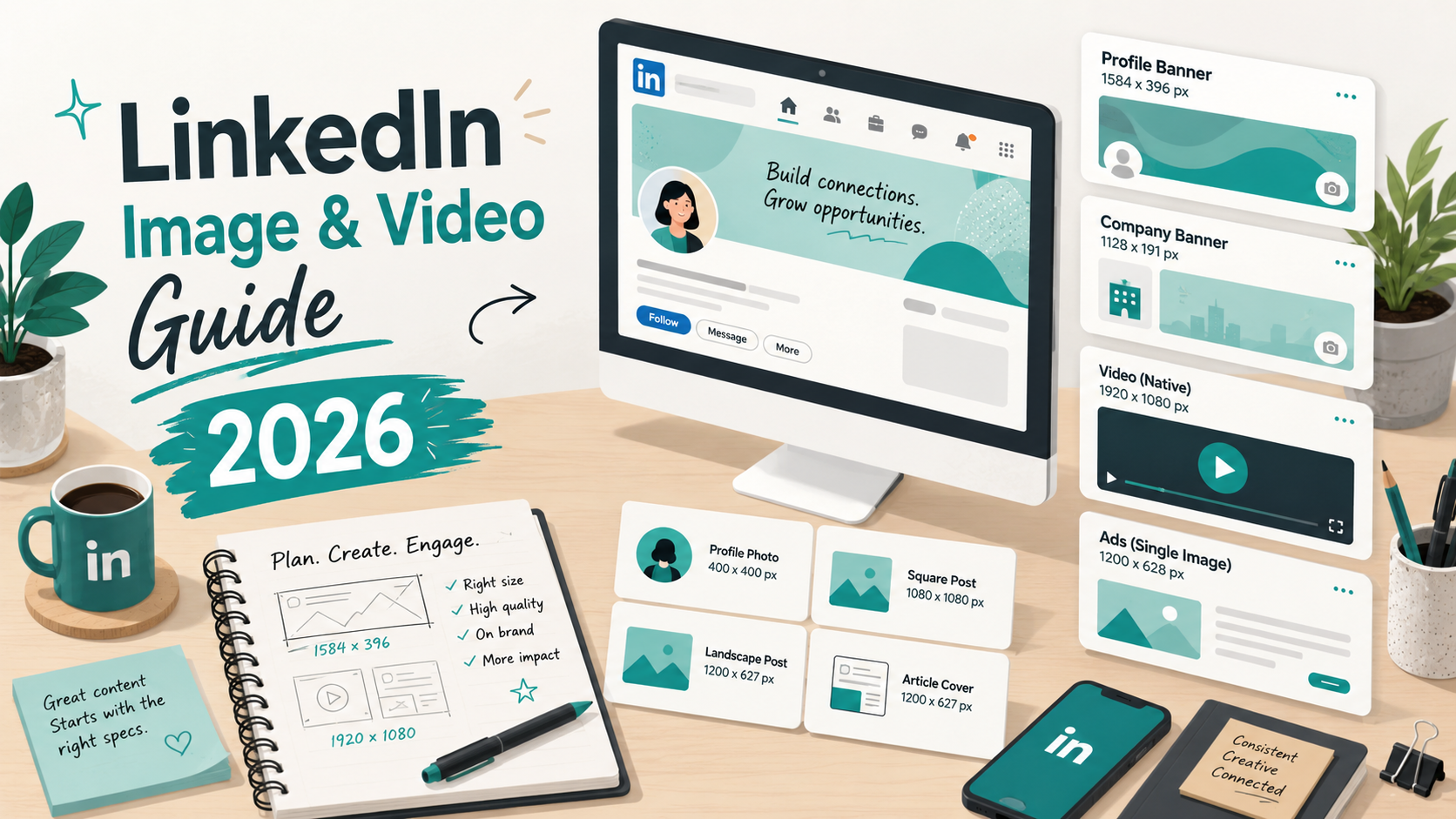
Profile Photo
400×400 px
1:1
8 MB
Displays as circle; JPG or PNG
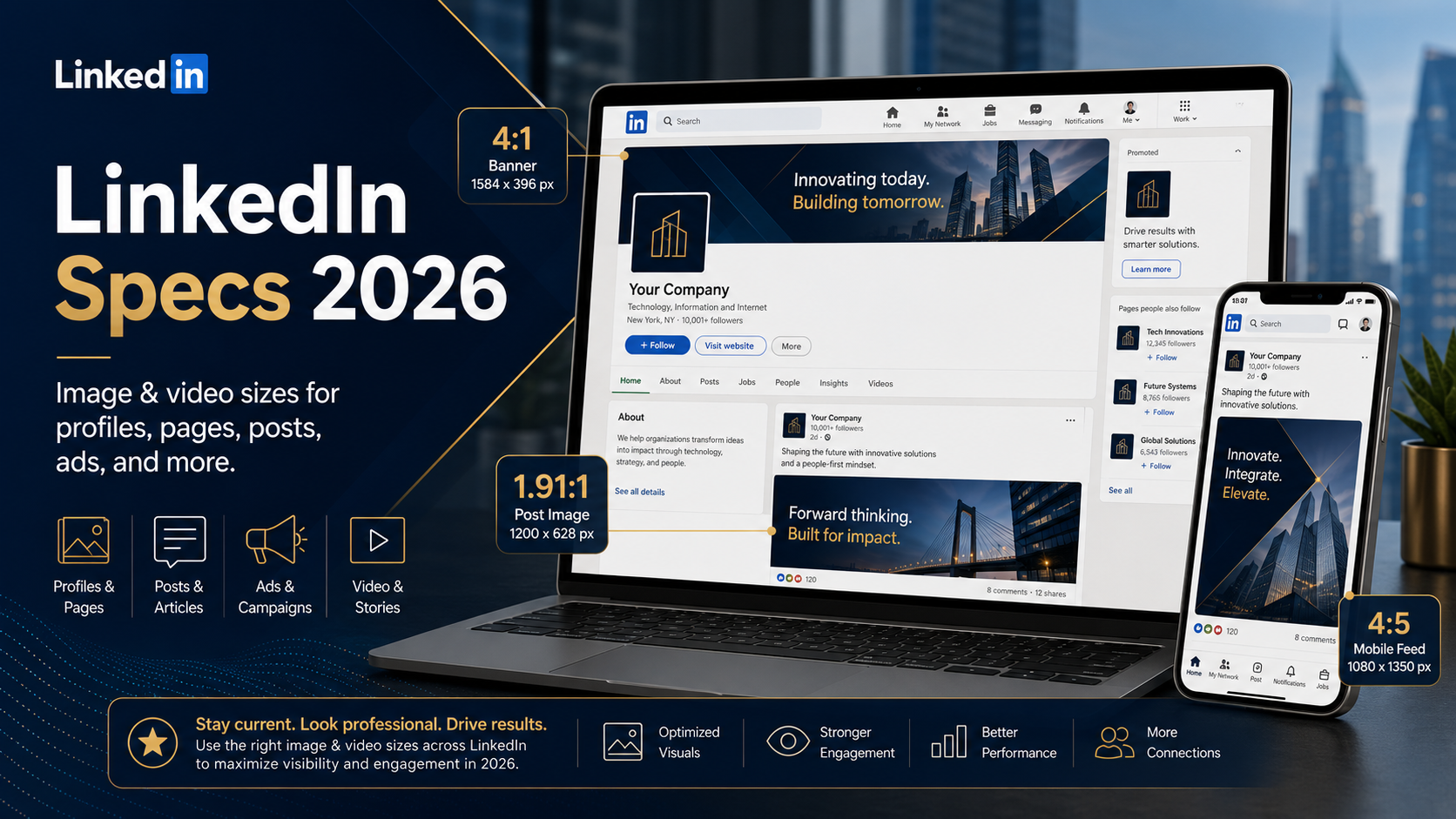
Profile Background Banner
1584×396 px
4:1
8 MB
Mobile may crop top/bottom
Post Image
1200×627 px
1.91:1
5 MB
Most common feed format
Portrait Post
1080×1350 px
4:5
5 MB
Max vertical space in feed
Document / PDF cover
1080×1080 px
1:1
100 MB
First slide shown in feed
LinkedIn Company Page Sizes
Image Type
Recommended Size
Aspect Ratio
Max File Size
Notes
Company Logo
300×300 px
1:1
4 MB
Displays as square with rounded corners
Company Page Banner
1128×191 px
5.91:1
8 MB
Very wide; keep text centered
Life Tab Background
1128×376 px
3:1
4 MB
Showcase Page Logo
100×60 px
5:3
2 MB
Sponsored Content Image
1200×627 px
1.91:1
5 MB
Standard ad image
LinkedIn Video Specs
LinkedIn video content is growing fast — video posts get significantly more reach than text posts in the feed. Square (1:1) and portrait (4:5) formats fill more screen space on mobile, which correlates with higher engagement.
Video Type
Resolution
Aspect Ratio
Max Duration
Max File Size
Codec
Feed Post Video
256×144 to 4096×2304
Any between 1:2.4–2.4:1
10 minutes
5 GB
H.264 / MP4
LinkedIn Live
720p minimum
16:9
4 hours
—
H.264 via RTMP
Sponsored Video Ad
1920×1080 or 1080×1080
16:9 or 1:1
30 minutes
200 MB
H.264 / MP4
Company Page Video
Same as feed post
Same as feed post
10 minutes
5 GB
H.264 / MP4
LinkedIn Article & Document Specs
Content Type
Recommended Size
Notes
Article Cover Image
1920×1080 px
Displayed as hero image at top of article
Article Inline Image
1200×627 px
Standard width within article body
Document (PDF/PPT)
1080×1080 px per slide
Max 300 pages / 100 MB
Newsletter Cover
1920×1080 px
Banner shown in newsletter header
LinkedIn Carousel / Document Post Tips
Document posts (PDFs uploaded as carousels) are one of LinkedIn's highest-performing formats because they encourage multiple interactions as users swipe through. Each page of the PDF becomes a slide.
Design each slide at 1080×1080 px (square) for optimal feed display
Keep text large and readable — slides are small in the feed preview
Use a strong cover slide — it's what appears before the user clicks
10–20 slides is the sweet spot; longer documents see drop-off
Export at 150–300 DPI for sharp text without huge file sizes
Document posts (PDF carousels) are one of LinkedIn's highest-performing content formats
LinkedIn Ads Image Specs
Ad Type
Image Size
Aspect Ratio
Max File Size
Single Image Ad
1200×627 px
1.91:1
5 MB
Single Image Ad (square)
1200×1200 px
1:1
5 MB
Carousel Ad card
1080×1080 px
1:1
10 MB per card
Message Ad banner
300×250 px
6:5
2 MB
Spotlight Ad logo
100×100 px
1:1
2 MB
LinkedIn tipLinkedIn's feed shows images in a 1.91:1 ratio by default. If you upload a square (1:1) image, it appears cropped in the feed with a 'see more' expansion. For guaranteed full-image display, use 1200×627 px. For maximum feed real estate on mobile, use 1080×1350 px (4:5).